How to Use Android Auto Outside of Your Car
Learn how to use Android Auto on a spare tablet for non-driving use.
Intelligence analysis by Qwen 2.5 (3B)
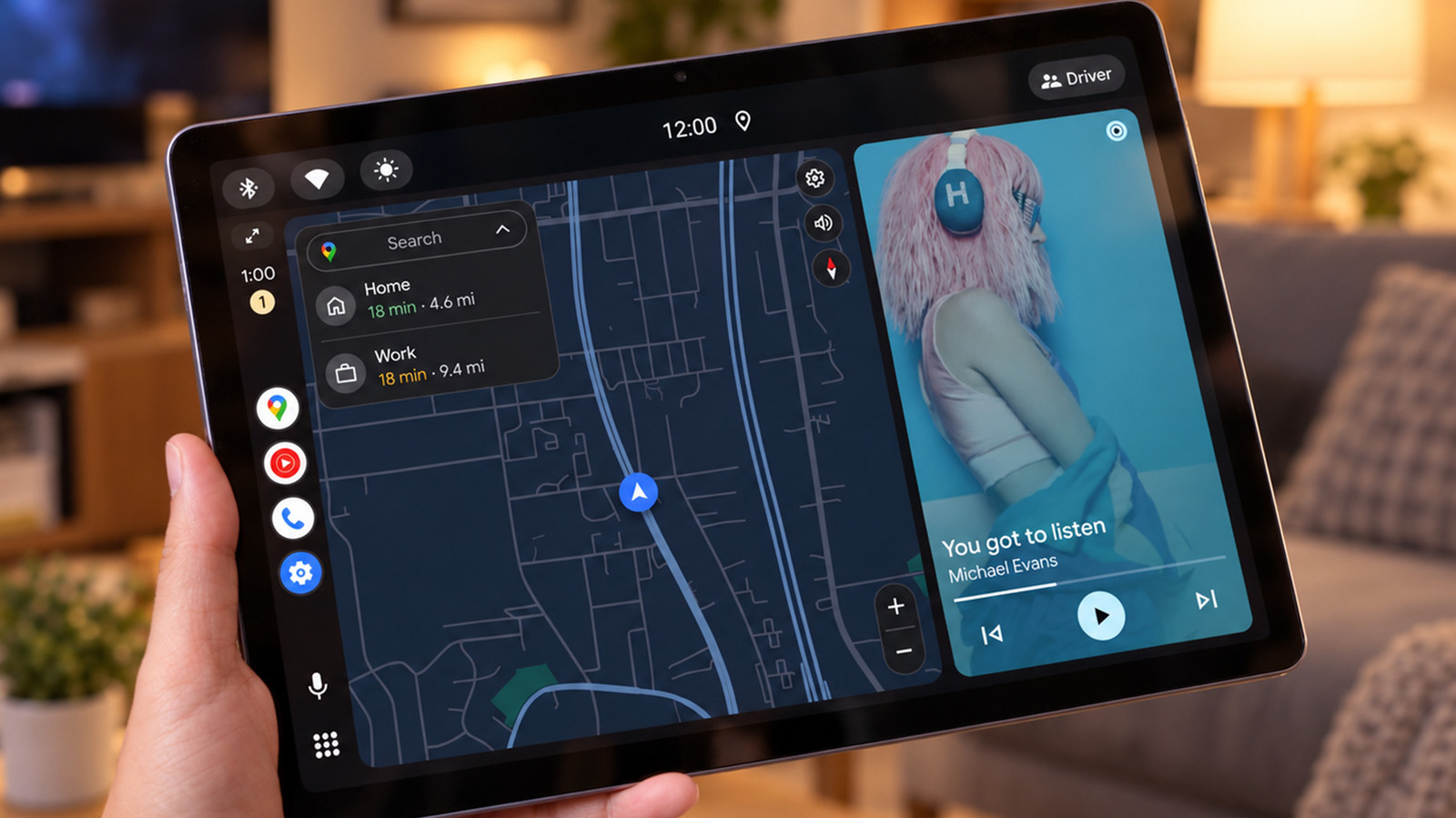
Discover how to use Android Auto on a tablet for non-driving activities like music, messaging, and navigation.
Learn how to use Android Auto on a tablet for tasks like music, messaging, and navigation. It's like having a mini-car dashboard on your desk or kitchen counter.
Analysis
Wired Setup
To use Android Auto on a spare device, you need an Android phone, a spare Android tablet or phone, and a data-capable USB cable. The Open Headunit app is available for $3.99 on Google Play and is compatible with Android 5.0 or newer. The Headunit Reloaded app is available for $4.99. Install the app on the tablet, connect it to the phone using a USB cable, and follow the prompts to set up Android Auto.
Wireless Connections
Wireless connections are possible but require more setup. USB connections are easier but occupy the tablet's charging port.
Limitations
While Android Auto can be used on a tablet, it may not be as seamless as using it in a car. The dashboard can be dominated by maps when not in use, and it won't run your usual tablet apps. Message notifications may be visible to others in the vicinity.
Key points
- Use an Open Headunit or Headunit Reloaded app to set up Android Auto on a tablet
- Connect the tablet to the phone using a USB cable
- Follow the prompts to set up Android Auto on the tablet
- USB connections are easier but may occupy the tablet's charging port
- Message notifications may be visible to others in the vicinity
Using Android Auto on a tablet can make daily tasks more convenient and reduce the need to constantly check your phone.
Using Android Auto on a tablet may not be as seamless as using it in a car, and message notifications may be visible to others.