Named Pipes Under Attack: Securing Windows Interprocess Communication
Named pipes are a common choice for communication between applications running on the same Windows computer. However, they are often treated as private and therefore trusted, which is an unsafe assumption. A Windows workstation may run processes under different users, ses…
Intelligence analysis by Llama
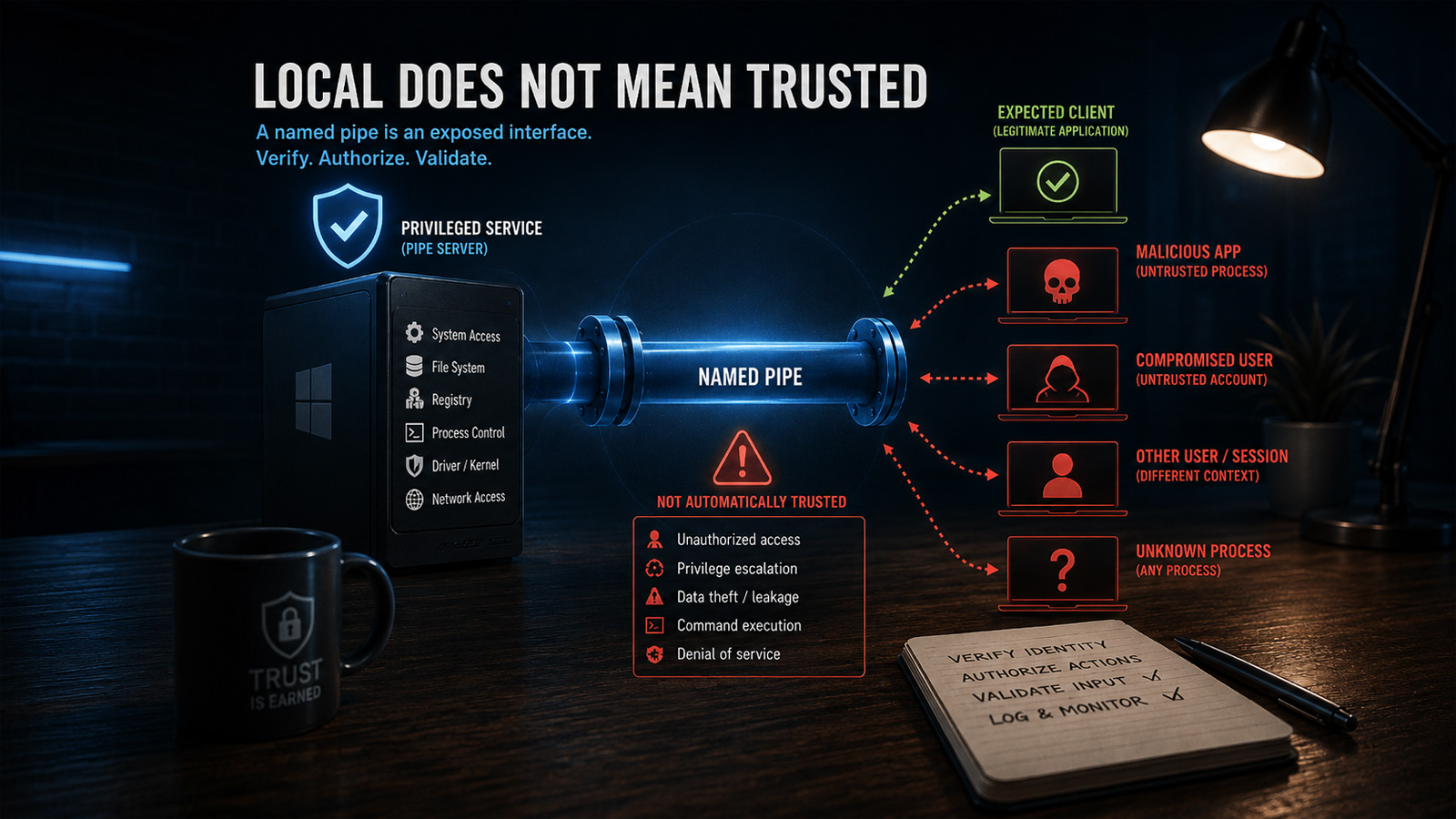
Named pipes are a common choice for communication between applications running on the same Windows computer, but they are often treated as private and therefore trusted. This is an unsafe assumption, as a Windows workstation may run processes under different users, sessions, and security contexts.
Named pipes are like a secret way for apps on the same computer to talk to each other. But, just because they're on the same computer doesn't mean they're safe. An attacker could pretend to be a legitimate app and connect to the pipe, causing trouble. To stay safe, developers need to make sure the apps talking to each other are who they say they are, and that they're only doing what they're supposed to do.
Analysis
Identity, Access Control, and Privilege Boundaries
The risk is greatest when a privileged Windows service communicates with a less privileged desktop application. A service running as LocalSystem may be able to modify protected files and registry keys, launch processes, change system configuration, access other users' data, or communicate with kernel drivers. When these operations are exposed through a named pipe, the pipe becomes an API to privileged functionality.
A successful connection proves only that the client was allowed to open the pipe. It does not prove that the client is the expected application, the connected user is authorized, the requested operation is permitted, or the supplied command is safe. Pipe permissions should therefore be defined explicitly and restricted to the smallest appropriate set of identities.
Broad permissions for Everyone, Authenticated Users, or all interactive users may allow unrelated processes to reach the pipe. Authentication and authorization must also remain separate. A user may be allowed to query service status but not stop the service, change protected settings, launch processes, or access arbitrary files. Sensitive commands should be authorized individually.
Impersonation can help by performing operations under the client's security context, but it must be handled carefully. The server should verify that impersonation succeeded, limit the work performed while impersonating, and always restore its original identity.
Untrusted Servers, Commands, and Data
The client must verify the server just as the server verifies the client. A predictable pipe name is only an identifier. It is not a secret and does not prove which process created the pipe. An attacker may create a pipe using the expected name before the legitimate server starts, causing the client to connect to an attacker-controlled process.
The first-pipe-instance option can help detect that the name has already been claimed, but it does not replace proper access controls or server identity verification. Messages received through the pipe must also be treated as untrusted input. Even an authenticated client may send malformed or oversized payloads, invalid file or registry paths, unsupported command combinations, corrupted serialized objects, or values designed to trigger error conditions.
A privileged service that converts such input directly into file, registry, process, or command-line operations may become a confused deputy: the attacker supplies the instruction, while the service supplies the privileges. Requests should use strict message framing, bounded sizes, command allowlists, schema validation, path normalization, operation-specific authorization, and safe error handling.
Availability and Remote Exposure
Named-pipe security is not limited to privilege escalation and unauthorized commands. A malicious or malfunctioning process may repeatedly connect, hold connections open, send incomplete messages, or submit requests that consume excessive CPU, memory, or kernel resources. The server should use connection limits, timeouts, cancellation, bounded message sizes, controlled concurrency, and rate limiting where appropriate.
It is also unsafe to assume that every named pipe is reachable only from the local computer. Windows named pipes can support remote access in some configurations. Pipes intended exclusively for local IPC should explicitly block network identities such as NT AUTHORITY
NETWORK , or use a mechanism that guarantees local-only communication.
The correct threat model is simple: every named-pipe connection should be considered potentially hostile until the client or server identity, permissions, requested operation, and message contents have all been verified.
Key points
- Named pipes are a common choice for communication between applications running on the same Windows computer.
- They are often treated as private and therefore trusted, which is an unsafe assumption.
- A Windows workstation may run processes under different users, sessions, and security contexts, making it possible for an attacker to connect to a named pipe and perform unauthorized actions.
- Developers must verify the identity of the client, restrict permissions, and use strict message framing to prevent attacks.
- Named-pipe security is not limited to privilege escalation and unauthorized commands. A malicious or malfunctioning process may repeatedly connect, hold connections open, send incomplete messages, or submit requests that consume excessive CPU, memory, or kernel resources.
By implementing strict access controls, verifying identities, and using secure communication protocols, developers can significantly reduce the risk of attacks through named pipes. This will not only improve the security of Windows applications but also provide a safer environment for users.
If developers fail to implement proper security measures for named pipes, attackers may exploit these vulnerabilities to gain unauthorized access to sensitive data or perform malicious actions. This could lead to significant security breaches and damage to the reputation of Windows applications.