How To Use Claude's Reflect Dashboard And Learn When It's Time To Touch Grass
Anthropic's Claude chatbot can be an incredible productivity tool, but overuse can negatively affect your life. To help users, Anthropic released Reflect, a new dashboard inside the chatbot's settings menu.
Intelligence analysis by Llama
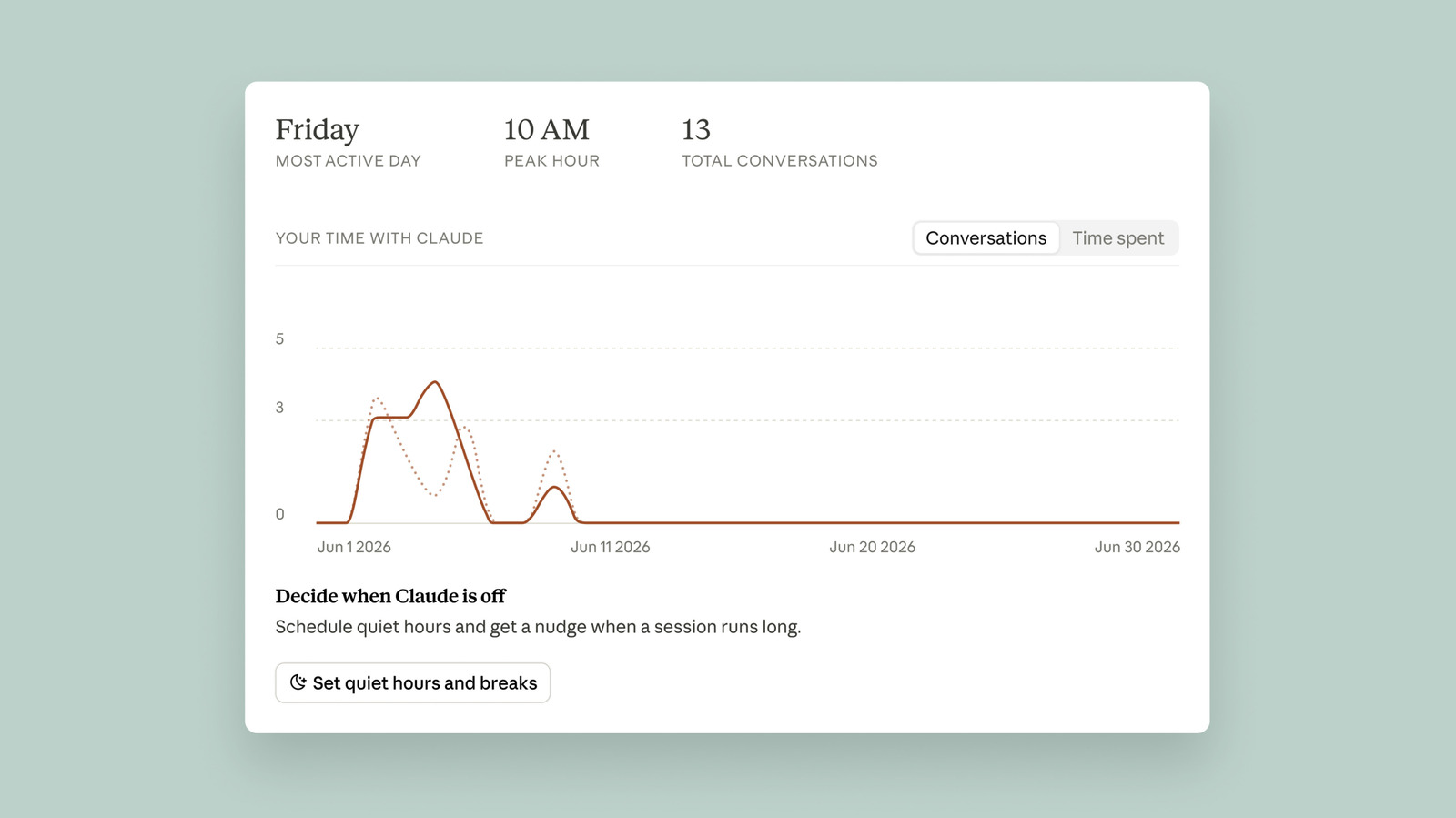
Anthropic's Claude chatbot has a new dashboard called Reflect that helps users manage their time and usage. The dashboard provides break reminders and quiet hours to prevent overuse.
Claude's Reflect dashboard is like a tool to help you not spend too much time talking to Claude. It reminds you to take breaks and helps you use Claude in a way that's good for you.
Analysis
A Break from Claude: How Reflect Helps You Rebalance Your Life
Anthropic's Claude chatbot has revolutionized the way we interact with AI, but like any digital experience, it's possible to overuse it to the point where it starts to negatively affect your life. To help users get a better sense of how much time they're spending with Claude, and nurture a more thoughtful relationship with its technology, Anthropic recently released Reflect, a new dashboard inside of the chatbot's settings menu that's a mix between Spotify Wrapped and Apple's Screen Time tool.
Setting Break Reminders and Quiet Hours
The Reflect dashboard gives you two different ways to manage your time on Claude. First, you can set break reminders, which the chatbot will deliver in the form of a nudge after you use it for a set amount of time. After just how much time Claude prompts you to take a break, is up to you. You can set reminders for every 15, 30 or 45 minutes, or every few hours. Separately, you can set quiet hours, which are designed to prevent you from using Claude during certain hours of the day. You can set different hours for each day of the week independently of each other.
Streamlining Your Usage with AI Fluency
One more feature of the dashboard I'll highlight here involves the AI fluency section, which you'll find toward the bottom of the interface. Under this section, Claude will generate recommendations designed to streamline your usage of the chatbot. For example, if Claude finds you frequently re-establish the same or similar context when you go to write a question or request, it will recommend you use its Projects feature to group your prompts together, so that you don't need to repeat yourself so often.
Key points
- Anthropic's Reflect dashboard helps users manage their time and usage on Claude.
- The dashboard provides break reminders and quiet hours to prevent overuse.
- The AI fluency section generates recommendations to streamline usage and improve productivity.
If users adopt the Reflect dashboard and set healthy limits on their Claude usage, they may experience improved productivity, reduced stress, and a more balanced digital life.
If users fail to set limits on their Claude usage and continue to overuse the chatbot, they may experience decreased productivity, increased stress, and a negative impact on their mental health.